Setting Up Managers Budget
The Managers Budget option allows users to define budget goals for the managers at the property. That is, for each month in a financial year, users can set targets for the catering, sales, and conference service managers who are responsible for respective activities in the property. The managers budget can be set based on one of the following options:
-
Guest Type
-
Origin
-
Segment 1
-
Segment 2
For a selected year, only one of the above listed budget types can be selected. However, different guest types, origins, or segments can be configured for different months.
Breakpoint: 6001 - Managers Budget (Front Office - Budget Setup)
Perform the following steps to set up manager goals:
Navigate to Settings à Budget Setup à Managers Budget.
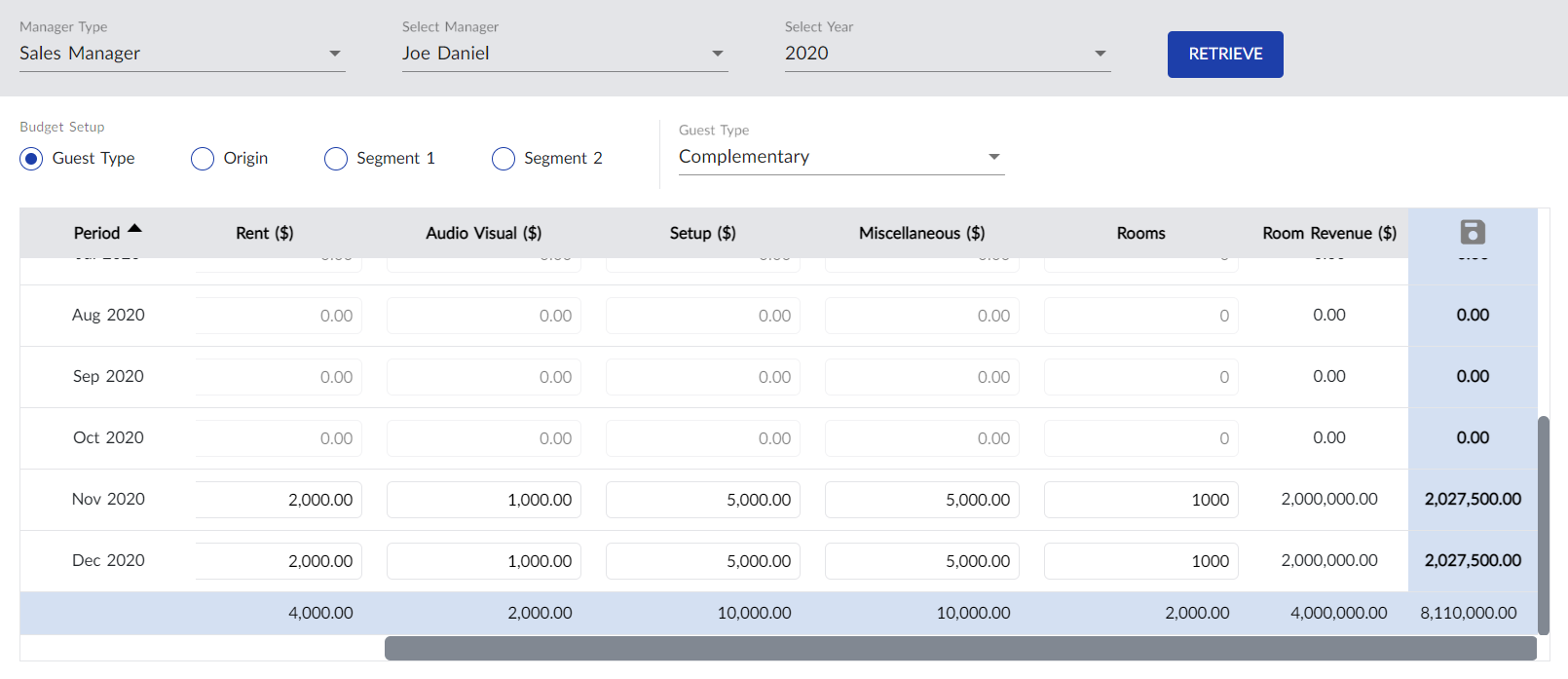
Select the type of manager from the Manager Type drop-down list, for example, Catering Manager. The catering managers available in the property are displayed in the Select Manager drop-down list.
Select the catering manager for whom the budget goal must be set, from the Select Manager drop-down list.
Select the year for which the budget must be configured from Select Year drop-down list.
Click Retrieve. The months in the Period column are updated based on the selected year.
Select the budget type from the available options under Budget Setup. The values in the drop-down list are updated based on the selected budget type.
Select a value from the Budget Setup drop-down list.
Refer to the following table and fill in the fields:
|
Field |
Description |
|---|---|
|
Food |
The revenue targeted from the food department. Values up to 12 digits are supported. |
|
Beverage |
The revenue targeted from the beverages department. Values up to 12 digits are supported. |
|
Rent |
The revenue targeted from rented items or meeting rooms. Values up to 12 digits are supported. |
|
Audio Visual |
The revenue targeted from audio visual items. Values up to 12 digits are supported. |
|
Setup |
The revenue targeted from setting up items in the meeting rooms, for example, Podium, Flower Decoration, Buffet Table, and so on. Values up to 12 digits are supported. |
|
Miscellaneous |
The revenue targeted from miscellaneous items. Values up to 12 digits are supported. |
|
Rooms |
The total number of sleeping rooms expected to be booked/sold. Values up to 12 digits are supported. |
|
Room Revenue |
The room revenue target for the month. The value in this column is automatically updated based on the value entered in the Rooms and Room Revenue columns (Number of Rooms × Rate). |
Click Save. The managers room budget is created.
Users can change the budget configured for the manager at any time by updating the values and clicking Save.